Forest Cafe
ASSIGNMENT
Game Jam #03 - Pick Me Up
Group: Eris Mardy, Lily Ahmad-Davis, Kianna Bulawan.
My Roles: Coding/all unity aspects
DESCRIPTION
I stayed with the same group as the previous assignment. To stick with the theme of 'pick me up', we decided to make a cafe game where you pick up the customers orders and deliver it to them.
Disclaimer: all art shown was done by Eris Mardy, Lily Ahmad-Davis, and Kianna Bulawan, and all audio was made by Kianna Bulawan.
DATE
Semester 1 2024 - week 6 to week 7
GAME FILES
Click here to play
Download the entire folder, open Cafe_test01.exe to play


Full Playthrough
first iteration of customers
Customers - first iteration
The first element I made was the customer spawner, customer controller, and tables scripts. I wanted the customers to enter the shop at a regular interval and go to an empty table. You can see in the video that I managed this, and when there were no more free tables, a message came up in the console saying "no available tables" and no more customers entered.

Table
The table script contains a boolean that marks the table occupied or not, that the other scripts then look at when choosing a table.


Customer Spawner
The customer spawner script runs a function to look at the list of tables and select an unoccupied one, then passes that back to the spawn function. That then instantiates a customer and starts the move customer function in the customer controller script and passes it the position of the selected table.

Customer Controller
The customer controller script moves the customer from the spawn point to the selected table at a specified rate.
Customers - final iteration


Customer Spawner
For the customer spawner script, I changed the customer game object into an array since my team members designed 4 characters in total. The customers spawned in the order of their index. I made them spawn this way because it was easier and also ensured there wouldn't be any chance of 3 of the same customer spawning in a row.
I added in the awake so I could easily reference this script in other scripts.
The Spawn function first choses a random table, then instantiates the next character and increments the index. It also plays the EnterSFX so that it seems like the bell on the door has been triggered. This is so the player is alerted when a customer has entered the shop. The selected table is then marked as occupied so another customer won't try to also sit there. The Move Customer function from the Controller script is then called to move the customer to the selected table. If there are no available tables, the code inside the if statement will not be called. When the entire Spawn function is invoked at the spawn rate so there is a constant flow of customers.
When deciding the spawn rate, I first set it as every 5 seconds, however this was much too long as there was enough time to finish serving each customer before the next arrived. I then tried every 3 seconds which was way too fast, it made it too stressful for the player to be able to keep up with the orders, and we were going for a calm and cozy game, so I settled for a spawn rate of 4 seconds.
When the customer leaves (script for this is later) this function gets called to mark the table as not occupied so another customer can then sit there later.
Find Available Tables didn't change from the first iteration.


Customer Controller
Customer Controller determines how customers moves.
Move Customer is called when a customer has been instantiated with a selected table. Exit Customer is called when a customer's order has been completed.
Move Towards Table is called by Move Customer which passes it the selected table. First the position of the table is found, and the distance is calculated. The collider on the customer is disabled so that the player cannot accidentally interact with them before they have sat down and placed an order. Animate Customer is repeatedly invoked at the animSpeed (3fps). The while loop moves the customer towards the table at a constant rate. Once the customer is at the table, their order is displayed (from Customer Order script), the sprite stops animating and is set to the sit sprite, the layer index of the customer is set to table plus 1 (table script is actually on the chairs, yes it was confusing, and the table sprite is 2 layers in front of the chairs, so the customer is set in between the table and chair), and the collider is enabled.
Leave is called by Exit Customer. The collider is disabled, the customer waits for 5 seconds (to imitate eating/drinking the order), then the table is marked as unoccupied. The movement is done the same as in Move Towards Table, however the sprite renderer is also scripted so that the customers face the door as they walk towards it. Once the customer reaches the spawn point (out of frame), Animate Customer is cancelled and the Customer is destroyed.
Animate Customer looks at the current sprite index, displays it, then increments it by one. This is looped so that when the index is incremented to a number greater than the number of sprites, it is set back to zero and loops.


Customer Order
This script is attached to each customer.
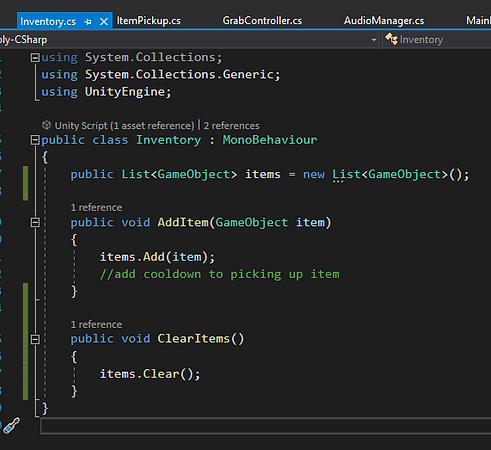
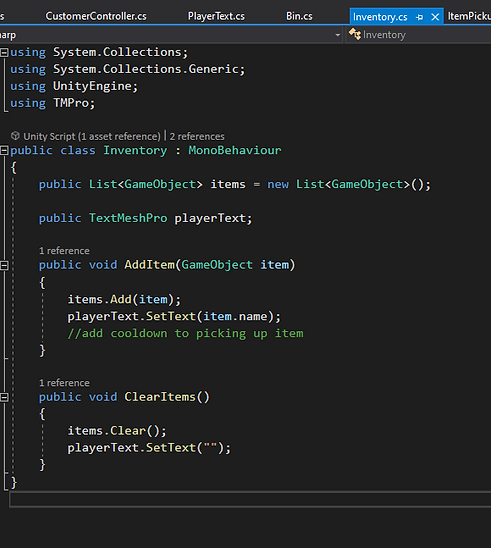
This function is called whenever the player enters the trigger and presses the space key. It looks at each item in the Inventory (this was fine to do like this because there will never be more than one item at a time in the Inventory) and if the item name matches the order name, foundOrder is set to true.
When foundOrder is true, a SFX is played, the order bubble and order item displayed above the customer are destroyed, the inventory is cleared so the player is no longer holding that item, and the order is set to null so there is no chance it will accidentally be completed again. The time it took from the order being displayed to the player completing the order is passed to the calculate score increase, which then passes the right amount of points to the score so it can be displayed on screen. Exit Customer is then called so the customer can leave.
Display Order is called when the customer has reached the table. Random Order selects a random menu item, then an empty order bubble and order item (which is a sprite of the chosen order item) get displayed at an offset to the customer (so it is in the air and not in the middle of the customer). A timer then starts so the correct amount of points can be calculated.

Calculate Score Increase calculates the amount a points the player will earn depending on the elapsed time. I'm sure there is a shorter way to write this but this worked for me. I also probably should have put this in the Score script to keep everything more organised, but it works fine here.
max score
min score
the first element i made was the customer spawner, customer controller, and tables scripts. I wanted the customers to enter the shop at a regular interval and got to an empty table. You can see in the video that i managed this, and when there were no more free tables, a message came up in the console saying no more free tables and no more customers entered.

the table script contains a boolean that marks the table occupied or not, that the other scripts then look at.


the customer spawner script runs a function to look at the list of tables and select an unoccupied one, then passes that back to the spawn function. that then instantiates a customer and starts the move customer function in the customer controller script and passes it the position of the selected table.

the customer controller script moves the customer from the spawn point to the selected table at a specified rate.
for the final iteration of my customer scripts, i also added in a customer order script so the customers would randomly chose a menu item to order.
customer spawner final

for the customer spawner script, i made the customer game object into an array since my team members designed 4 characters in total. the customers spawned in the order of their index. i did this because it was easier and also ensured there wouldn't be all of the same customer on the screen at one point
i added in the awake so i could easily reference this script in other scripts.

this chooses a random table
this instantiates the next character of the index then increments the index
it also plays the sfx when the customer enter the shop, like a bell on a door so the player is alerted a new customer has entered
this marks the selected table as occupied so another customer wont try to sit at the table
this starts the move customer function in the customer controller script and passes it the selected table
this makes the spawning go continuously unless there is no free tables
when the customer leaves (script for this is later) this function gets called to mark the table as not occupied so another customer can then sit there

this didnt change from the first iteration, it finds an available table and passes it to the spawn function
customer controller final

the customer controlled determines how the customer moves
this is called by the spawner script after a table has been chosen. it calls the coroutine that moves the character to the chosen table

this is called by the order script after the customers order has been completed. it calls the coroutine that moves the character to the door
this takes the chosen table and determines where it is
this disables the collider around the customer, so the player cant accidentally interact with them before they have sat down and placed an order
this starts the animate character, and repeats it at the animSpeed
this starts the animate character, and repeats it at the animSpeed
this gradually moves the character towards the table, then stops once they are there
once they have sat, display order is called, the customer stops animating, and the sprite changes to the sitting sprite.
this changes the layer of the customer to the layer in between the chair and table object (the table is actually on the chair, so they go in front of the chair and behind the table. the collider is then enabled so the player can interact with them

this coroutine is called when exit customer has been called
the collider is disabled again, the customer waits at the table for 5 seconds (to imitate eating the order) and then the table is marked as unoccupied.
the distance to the door is calculated and the layer index is set to 2 (in front of the back tables and behind the front tables. the sprite is flipped so it is not walking backwards, and the animate customer is called again.
this is the same as in movetowardstable,
once the customer reaches the door (is out of the scene) animate customer is stopped and the customer gameobject is destroyed
this animates the customers. their walking sprites were added in an array in the order they needed to be shown in.
customer order final

this script is attached to each customer
ive added a timer in here so the score can be calculated depending on how long the player takes to deliver the order

this happens whenever the player has triggered the collider around the customer
this looks at each item in the players inventory (its not slow to do it this way because there will never be more than one item in the inventory)
if the player has an item in their inventory that matches the name of the order, found order is set to true
when found order is true, an sfx is played, the order bubble and order item displayed above the customer are destroyed, the inventory is cleared so the player is no longer holding that item, the order is set to null, so theres no chance it will accidentally be completed again. The time it took the player to deliver the order is passed to the calculate score increase, which then passes the right amount of points to the score so it can be displayed on screen. the exit customer function is then called so the customer can leave.

when display order is called, random order selects a random menu item and passes it back, then an empty order bubble and order item (which is an image of the chosen order item) get displayed at an offset to the customer.

this calculates the amount a points the player will earn depending on the elapsed time. im sure there is a shorter way to do this but this worked for me. I also probably should have put this in the score script to keep everything more organised, but it works fine here.